Skype 3.2.0.175 - Final
Skype is the next phenomenon from the people who brought you KaZaA. Just like KaZaA, Skype uses P2P (peer-to-peer) technology to connect you to other users – not to share files this time, but to talk and chat with your friends. The technology is extremely advanced – but super simple to use... You’ll be making free phone calls to your friends in no time!
Features:
- Free unlimited worldwide phone calls to anyone else on Skype, anywhere in the world
- Skype video (***cam), see who you are talking to with free video calls
- Chat with up to 100 people in group chats
- Conference call with up to four people for free
- Call ordinary phones with SkypeOut
- Superior sound quality – better than your regular phone
- Your calls are encrypted “end-to-end” for superior privacy
- Friends list shows you when your Skype friends are online and ready to talk or chat
- Works with all firewall, NAT and routers – nothing to configure!
- Super-simple and easy to use
- Based on cutting edge peer-to-peer technology developed by the creators of Kazaa and Joltid In order to use Skype for Windows software, your computer must meet the following minimum system requirements:
- PC running Windows 2000 or XP
- 400 MHz processor
- 128 MB RAM
- 15 MB free disk space on your hard drive
- Sound Card, speakers and microphone
- Internet Connection (either dial-up: minimum 33.6 Kbps modem, or any broadband: cable, DSL, etc.)
Changes in 04.07.2007, version 3.2.0.175:
* improvement: Installer Vista support improved
* change: Internet Explorer plugin updated
* bugfix: Call quality slightly improved
* bugfix: Installer did not remember previous install ********
* bugfix: Latvian installer was not working
* bugfix: Skype displayed blanks under audio settings
* bugfix: Some rich mood messages were not shown correctly
Changes in 04.07.2007 Skype 3.5.0.158 for Windows Beta:
* feature: Add video to mood and chat message
* feature: Video snapshot
* feature: What's New Guide
* feature: Support for Firewire Digital cameras
* change: Change SkypeMe status to Online for users under 16
* change: Updated all ******** files
* change: IE Plugin updated (2.2.0.98)
* bugfix: When menu was opened it needed 2 clicks to answer a call on tray notification
* bugfix: Latvian installer did not work
* bugfix: Installer did not remember custom install ********
* bugfix: Profile phone number **** was cropped
* bugfix: Autoredial attempts were wrongly counted
* bugfix: Skype contacts were shown as SkypeOut contacts when sending SMS
* bugfix: Accessibility: Not all buttons in profile were selectable via Tabstop
* bugfix: Multiple device indicators were overlaying sometimes
* bugfix: Status icon was shown wrongly on some machines
* bugfix: Unable to copy emoticons while writing chat message
* bugfix: Chat did not open from right place when person has extended keyboard navigation enabled
* bugfix: Selecting **** with double click did not work as expected when there were links in message
* bugfix: Skype sometimes crashed on call transfer
* bugfix: Duplicate entries in contact list
* bugfix: Contact groups scrollbar visible when groups not expanded
* bugfix: Voicemail event count does not decrease after listening to it
* bugfix: Sound error not played on some actions
* bugfix: German match case option in chat shown in black
* bugfix: Cyrillic characters were shown wrongly on some places
* bugfix: Chat messages were shown with too much indent
* bugfix: Long usernames displayed wrongly in Events Panel
* bugfix: Skype displayes blanks under Audio Settings
* bugfix: Name not shown on tray ***** on 1680x1050 resolution
* bugfix: Call forwarded icon not displayed
* bugfix: Changing participants view was not possible in chat window
* bugfix: Add to SkypeOut did not work as expected on some rare cases
* bugfix: Options accessibility has usability problems with screen readers
* bugfix: Chat window ******* was too wide
* bugfix: Chat controls did not appear instantly
* bugfix: Video calls should be better on relayed connections
* bugfix: Video calls with integrated Intel video cards had green flicker
* bugfix API: It was not possible to select default audio device
Download
http://download.skype.com/SkypeSetup.exe
نأتي الى الإضافات
الجميع فينا يعلم و يستعمل برنامج السكايب و لكن الكثير فينا لا يعلم و لا يستعمل هاته البرامج المرافقة للسكايب
هاته البرامج تستعمل مع برنامج السكايب و هي مفيدة جدا

أولا : برنامج لفتح اكثر من سكايب في آن واحد
اسم البرنامج : multi_skype
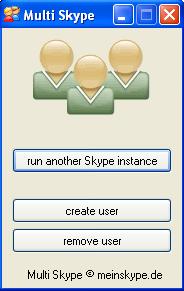
الإصدار :3, 1, 1, 0
حجم البرنامج :119 KB
البرنامج مجرب في:

الرابط :
اضغط هنا او اضغط هنا
ثانيا: برنامج لتسجيل المكالمات بجودة 10/10 و بأي صيغة تريد
اسم البرنامج : MX Skype Recorder

الإصدار : 3.3.2.0
حجم البرنامج : 368 KB
Serial
First: Teahm
Last: Deavautee
Code: 3314887121
البرنامج مجرب في:
الرابط :
من هنا او من هنا

ليست هناك تعليقات:
إرسال تعليق